 Brandefyn

Short answer: ChatGPT Business Hub is OpenAI's free beta dashboard, launched November 10, 2026, where a brand claims and verifies its ChatGPT profile, uploads or connects a product feed, and sees how often ChatGPT cites its website. Shopify brands have the easiest path: approving a Shopify store connection verifies the claim and supplies the feed. Claiming doesn't buy rankings, but it fixes your data at the source, and three days later OpenAI launched ChatGPT Wallet, which lets AI agents pay at your existing checkout. Claim your profile now, and make sure your site doesn't block verified ChatGPT agents.
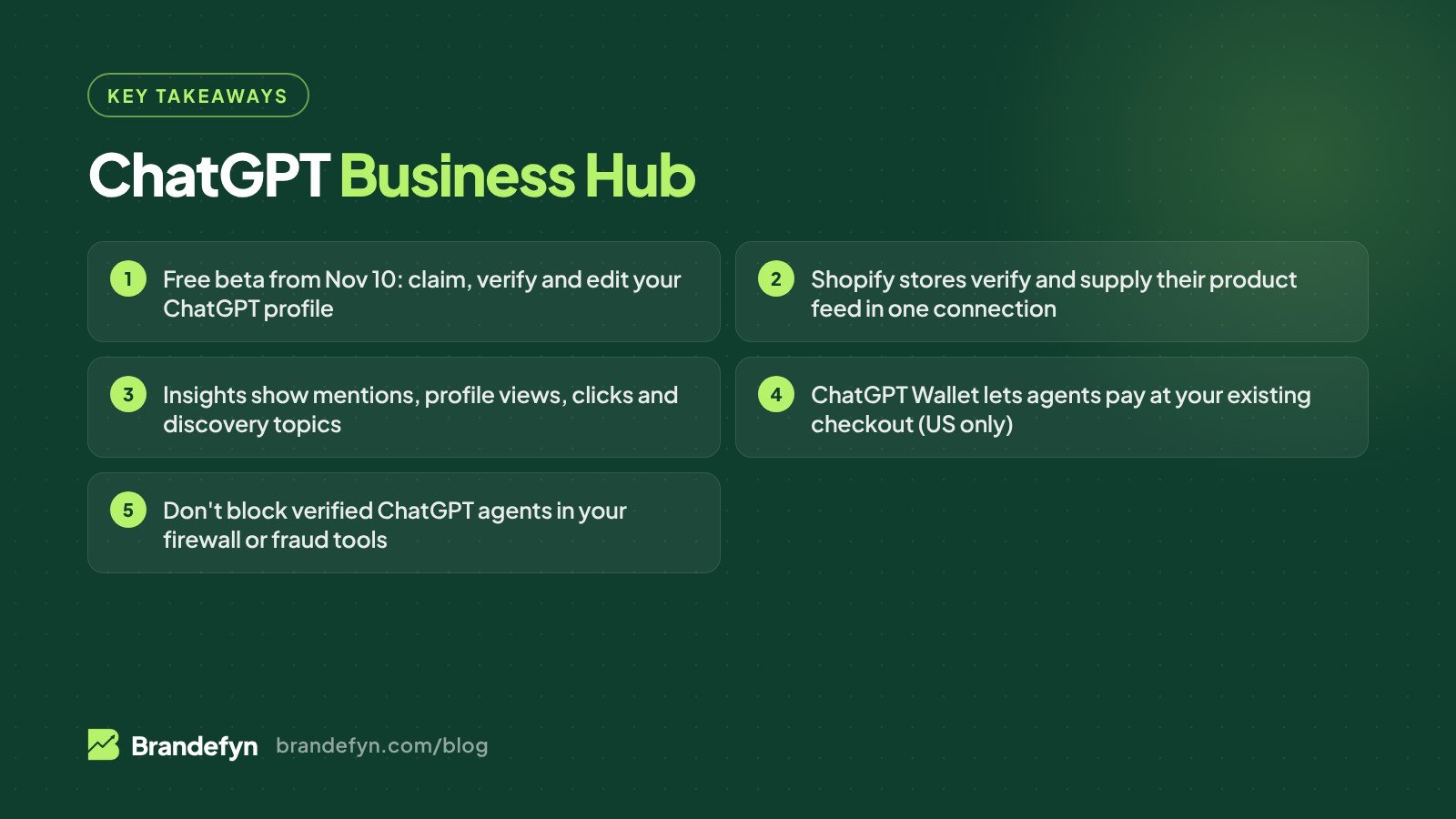
OpenAI shipped two things for merchants in one week. Businesses in ChatGPT gives brands a profile they control. ChatGPT Wallet gives AI agents a way to pay. Together they're the clearest sign yet that ChatGPT wants to send buyers to your store, not keep them in the chat. Here's what's confirmed, what isn't, and the order we'd do things in a US Shopify store.
What is Businesses in ChatGPT?
OpenAI launched Businesses in ChatGPT in beta on November 10, 2026. It has three parts:
- Business Hub: where you claim, verify and manage your business profile. It lives at chatgpt.com/business-hub and in the ChatGPT sidebar.
- Insights: aggregated counts of how ChatGPT mentions and links to you.
- Business Agents: an assistant you build that answers shopper questions about your products inside ChatGPT.
Once verified, you can edit your website, description, category, logo, cover photo and, for sellers, your delivery and return policies. OpenAI reviews edits before they go live. You can also add a product feed with current pricing and availability, which ChatGPT may use to answer shopper questions.
Claiming, editing and viewing Insights are free. You don't need a ChatGPT Ads account or an Enterprise agreement.
How to claim your business in ChatGPT (step by step)
- Sign in with the account you'll manage the business from. Use a work account, not a personal one.
- Search Business Hub for your business and select it. Online businesses may be able to create a new listing if none exists.
- Verify the claim with one of four methods:
- a code by text or call to your business phone number
- a code sent to your business email
- a TXT record added to your domain's DNS
- approving a Shopify store connection
- Wait for the decision. OpenAI reviews the claim and emails you. If someone else has already claimed your business, use the "Dispute ownership" option.
- Pass the identity check. After the claim is approved, OpenAI verifies you through Persona. It can ask for a government-issued ID and proof you can act for the company, and your business details must match official records. Profile edits, feeds and Insights unlock only after this step.
- Complete the profile and connect your feed. Then invite teammates. The admin can also grant access to an agency, with each person on their own ChatGPT account.
One warning: if you create a brand-new profile, it publishes automatically once Persona approves it, and published profiles can't be deleted, even by OpenAI Support. Get the business name, website and category right before you submit.
Why Shopify brands have an easier path
For Shopify merchants, the Shopify connection does double duty. It verifies the claim, and it supplies your product feed, so you don't have to build one. You can connect from Business Hub or from the Shopify admin.
Eligible Shopify products are already integrated into ChatGPT through Shopify Catalog. If you've been through our Shopify Agentic Storefronts checklist, your products may already appear in ChatGPT. Claiming adds a verified profile, your own policies and Insights on top.
Not on Shopify? You upload a feed that follows OpenAI's spec, by manual upload, a hosted HTTPS URL or SFTP, with stable item IDs. Some guides report the spec has 48 fields, nine of them required. Either way, the feed supplies prices and availability. It doesn't guarantee a recommendation.
What ChatGPT Business Hub Insights show (and don't)
Insights cover a rolling 28-day window. There's no long-term history, so export or screenshot it if you want to track trends.
| Metric | What it counts | Watch out for |
|---|---|---|
| Mentions | Each time ChatGPT references your website | Your brand name alone doesn't count |
| Profile views | Visits to your business profile in ChatGPT | Only shows above a reporting threshold |
| Website clicks | Click-throughs from ChatGPT to your site | OpenAI says clicks "don't confirm website visits or conversions" |
| Discovery topics | Common themes in answers that cite you | You don't see the prompts or shopper intent |
Share of voice isn't part of the beta, and OpenAI doesn't share user conversations with businesses. Insights also only cover references to your website. If ChatGPT is drawing on Reddit threads or review sites about you, that won't show up here.
Use Insights as a direction check. Pair it with tagged traffic in your own analytics (ChatGPT referrals in GA4 or Shopify reports) so you can see whether those clicks turn into orders.
Does claiming help you rank in ChatGPT?
No, and OpenAI is clear about it. It says claiming doesn't guarantee more visibility or control over ChatGPT's recommendations, and paying has no effect on ChatGPT's answers. Profile edits take time to show up, and ChatGPT can still use other sources.
What claiming does give you is accurate facts at the source: the right website, your real return policy, and current prices and stock. Wrong data is one of the easiest ways to lose a recommendation. Visibility itself still comes from the work in our AI SEO for Shopify guide: specific product claims, structured data, reviews that mention use cases, and being cited by sources ChatGPT trusts.
Business Agents: US only at launch
Business Agents let you build, test and launch an assistant that answers questions about your products inside ChatGPT. At launch they're limited to eligible US ecommerce and online service businesses, with more markets and categories planned.
What's reported so far:
- Agents are built only from your instructions and your product feed. You can't plug in your own bot.
- When a shopper is ready to buy, the agent sends them to your site to check out.
- You see conversation themes, not transcripts.
- The agent conversation is labeled and kept separate from the shopper's original chat.
- You can sponsor the agent and use it as the destination for ChatGPT Ads. That part is paid. OpenAI hasn't published pricing.
How ChatGPT Wallet fits in
On November 13, 2026, OpenAI launched ChatGPT Wallet. It lets OpenAI's always-on agents, called dots, pay for things on a shopper's behalf.
The key facts for merchants:
- Who has it: a limited rollout to some US ChatGPT Pro subscribers aged 18+ with a US-issued Visa, Mastercard or American Express card.
- How it pays: the card network issues a tokenized credential, so neither the agent nor the merchant sees the real card number. Shoppers keep their card rewards and dispute protections.
- Every purchase is approved: the shopper reviews items, total and card, then confirms with a check like Face ID or a fingerprint.
- Checkout stays yours: purchases go through your existing checkout, so you keep the customer relationship, pricing, fulfillment and returns. OpenAI hasn't named any participating retailers yet.
- Partners: payment providers Adyen, Checkout.com and Stripe, and fraud firms Forter, Riskified, Sardine and Signifyd.
This is very different from Instant Checkout, which OpenAI launched in September 2025 and retired in March 2026 (here's what happened). Wallet doesn't move checkout into ChatGPT. It sends an agent to your store with a way to pay.
Your agent-readiness checklist
OpenAI's Commerce Partner Playbook says existing checkout pages should work without a Wallet-specific integration. The risk is that your own security turns those buyers away. Check these:
- Claim and verify your business in Business Hub, and connect your Shopify store or upload a feed.
- Allow verified ChatGPT agents. ChatGPT signs its cloud-browser requests with Web Bot Auth. Akamai, Cloudflare, HUMAN and Vercel are reported to verify those signatures automatically. If you use another firewall or bot tool, ask your provider.
- Talk to your fraud and payment providers. OpenAI warns that legitimate agent purchases can still be flagged and declined or cancelled. Ask whether your tools read the
Forwardedheader signals ChatGPT sends. - Don't store the token. The Wallet credential is for one transaction. Recurring billing needs the customer's consent.
- Keep price and stock accurate. Your feed and your checkout should agree. The shopper approves the item and total before paying, so a mismatch is an easy reason for them to back out.
- Make checkout simple. Clear shipping costs, no surprise fees, and a return policy that matches your Business Hub profile.
Bigger brands can go further and build a plugin, or add WebMCP tools, so agents can check availability and manage carts directly.
One market note: Amazon blocks AI shopping agents from its store, so agent shoppers in ChatGPT are pointed at brand sites and other retailers instead. If most of your sales are on Amazon, read what Amazon's agent block means for sellers and make sure your own site can catch that demand.
If you sell in the UK or EU
Claiming is open to eligible businesses with a website wherever ChatGPT is available, so UK and EU brands can try. In Business Hub you choose the countries and currencies where you sell. But Business Agents and ChatGPT Wallet are US only for now, and OpenAI's product feed spec reportedly targets the US, with other markets needing OpenAI's confirmation. Claim your profile and fix your details now, and treat feeds and agents as "not yet" outside the US.
Get your store ready for ChatGPT
AI shopping in ChatGPT is moving from "recommend a product" to "go buy it." The brands that win will have verified profiles, clean feeds and a checkout that agents can actually finish. If you want help, our Shopify AI SEO service covers profile claims, product feeds and AI visibility tracking. Or start with a free audit and we'll tell you where your store stands.
Sources
- OpenAI Developer Community: Introducing ChatGPT Wallet
- Relevant Audience: Businesses in ChatGPT, Business Hub, Insights and Agents
- Foundation: Businesses in ChatGPT
- Digital Commerce 360: OpenAI launches ChatGPT Wallet
- TechCrunch: ChatGPT's new Wallet lets AI agents shop and check out for you
- PPC Land: OpenAI hands its AI agents a wallet
- Relevant Audience: ChatGPT Wallet launch, what merchants need to check