 Brandefyn

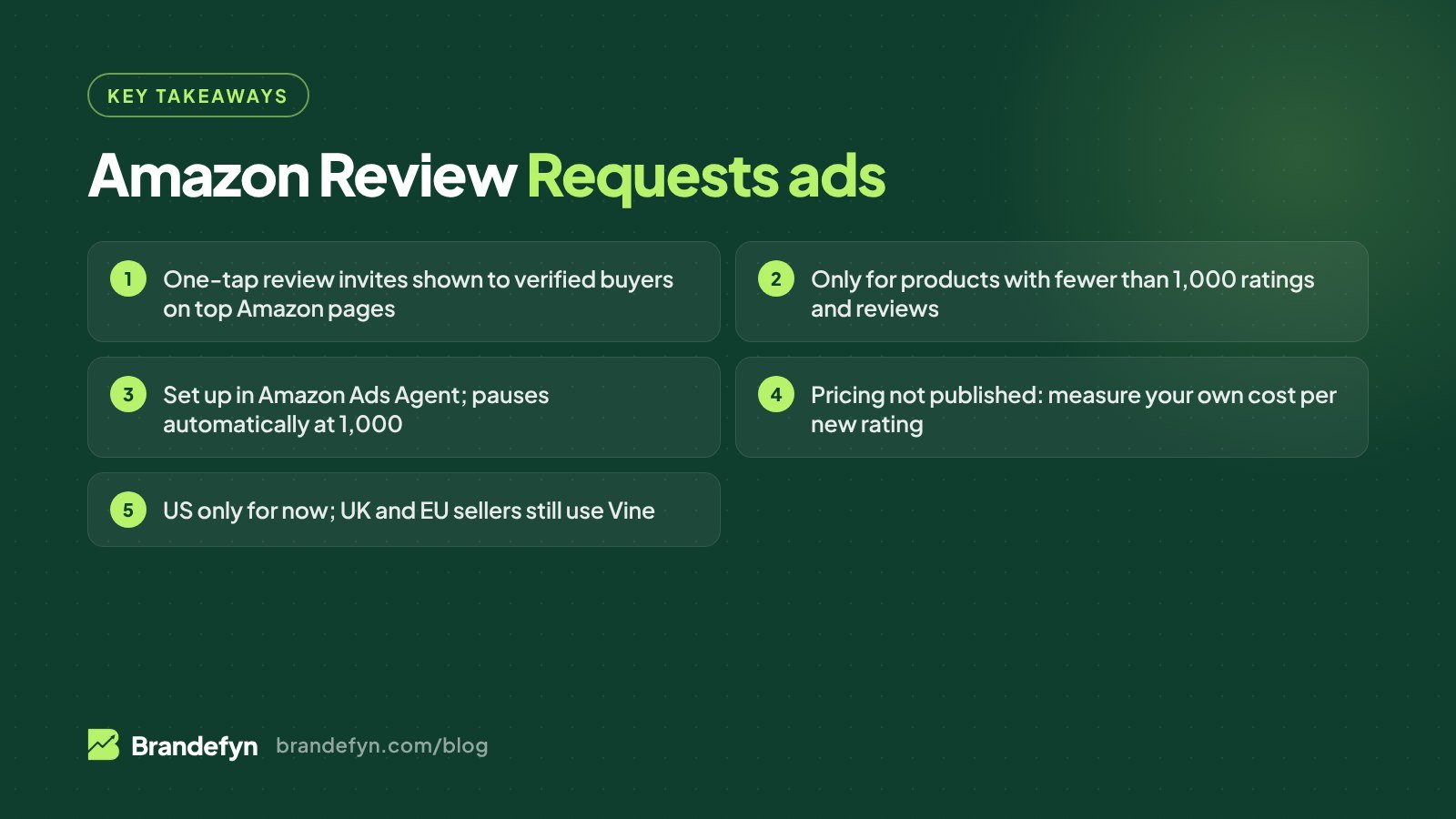
Short answer: Amazon Review Requests ads are a new US-only campaign type that shows a one-tap review invite to customers who recently bought your product, on Amazon's busiest pages such as the homepage. They're for products with fewer than 1,000 ratings and reviews, run inside Amazon Ads Agent with normal bids and budgets, and pause automatically at 1,000. Amazon says closed-beta products got about three times as many ratings and reviews per week. Use them on new launches and low-review products whose listings already convert, not on products with quality problems.
For years, a new product on Amazon had three honest ways to get reviews: wait, press the free Request a Review button on every order, or pay for Vine. Amazon has now added a fourth, and it sits in your ad budget. Here's what Amazon has actually confirmed, what it hasn't, and how we'd test it in a US account.
What are Amazon Review Requests ads?
Amazon announced Review Requests at unBoxed on September 29, 2026. Amazon describes it as an ad solution that "reaches customers who recently purchased your product" and invites them to leave a star rating or written review while they're shopping on Amazon.
How it works for the shopper:
- A customer who bought your product sees a native review invite on one of Amazon's highest-traffic pages. Amazon names the homepage as an example.
- They tap a star rating. That's it, one click.
- If they want, they add a written review, photos or video.
The review then shows on your product detail page like any other customer review, so every shopper benefits, not just the people who saw the invite.
How it works for you: you create and manage Review Requests campaigns in Amazon Ads Agent, using the same bidding and budget controls as your other Amazon Ads campaigns. Developers and tools can also reach it through the Amazon Ads API, where it was added as a US beta in November 2026.
Who qualifies for Review Requests?
Amazon's eligibility rules are short:
| Requirement | What Amazon says |
|---|---|
| Marketplace | United States only for now |
| Who can advertise | Registered sellers and vendors |
| Account status | Advertising console account in good standing, no active policy violations |
| Product | Fewer than 1,000 total ratings and reviews |
| When it's checked | When you create the campaign and while it runs |
| Cap | Campaign pauses automatically at 1,000 ratings and reviews |
| Where to set it up | Amazon Ads Agent (and the Amazon Ads API, in beta) |
The 1,000 cap tells you who Amazon built this for: new launches, new variations, and products that sell steadily but never collected many reviews. If your hero product already has 4,000 reviews, this isn't for it.
When did it launch, and is it live in my account?
The timeline, from Amazon and from PPC Land's coverage of Amazon's release notes:
- June 3-21, 2026: closed beta in the US.
- September 29, 2026: announced at unBoxed.
- Late October 2026: open beta in the US.
- November 2026: added to the Amazon Ads API as a US beta. Review-specific metrics are in the Ads console; Amazon says they'll come to the reporting API in a later update.
It's a beta, so not every account sees it on day one. If you don't see it in Ads Agent, ask your Amazon Ads account team, which is what Amazon itself suggests.
How much do Review Requests cost?
This is the part to watch. Amazon hasn't published prices, benchmark bids or a cost per review.
What we know:
- You set a bid and a daily budget, like other Amazon Ads campaigns.
- Amazon's Ads API release note says the advertiser "pays only when a shopper leaves a rating or review," as reported by PPC Land.
- Several agency write-ups describe it as cost per click. Amazon's own announcement page doesn't spell out the billable event.
Our take: read the billing line in your own console before you put real budget behind it. Start with one product, a modest daily budget, and compare spend to the new ratings you actually got. That gives you your real cost per review, which is the only number that matters.
Does the "3x more reviews" claim hold up?
Amazon says that, based on internal data from the closed beta, products got "three times as many ratings and reviews per week" compared to before the test. Treat that as directional. It came from a 19-day test, it's Amazon's own data, and no control group was disclosed. Your results will depend on how many units you sell, because only verified buyers can be invited.
The maths is simple: no sales, no buyers to ask. A product selling five units a week won't suddenly collect 50 reviews. That's why Review Requests works best alongside ads that drive sales, not instead of them.
Review Requests vs Vine vs the Request a Review button
You now have three Amazon-approved ways to ask for reviews. They're not interchangeable.
| Review Requests ads | Amazon Vine | Request a Review button | |
|---|---|---|---|
| Who reviews | Paying, verified buyers | Invited Vine Voices who get the product free | Paying, verified buyers |
| How they're asked | Native invite on high-traffic Amazon pages | Through the Vine program | Automated email |
| Product limit | Under 1,000 ratings and reviews | Under 30 reviews, FBA, brand-registered or generic | Any eligible order |
| Cost | Bid and daily budget (pricing not published) | $0 for up to 2 units, $75 for 3-10, $200 for 11-30 per parent product | Free |
| Timing | Customers who "recently purchased" | Through the Vine program | 5-30 days after delivery, once per order |
| Markets | US only | US, Canada, UK, France, Germany, Italy, Spain, Australia, Japan | Seller Central (Orders > Manage Orders) |
How we'd use them together on a US launch:
- Vine first to get the first reviews before you spend much on ads.
- Request a Review on every eligible order, every time. It's free, so there's no reason to skip it.
- Review Requests once the product is selling and the listing converts, to speed up review velocity from your real customers.
When to use Review Requests (and when not to)
Good fit:
- A new product launch where you're already running Sponsored Products and getting sales.
- New variations or a new size that has few reviews of its own.
- Products in competitive categories where a low review count is costing you clicks and conversion.
- Q4 and holiday sellers: November and December bring more orders, and more orders mean more verified buyers to invite.
Bad fit:
- Products with quality or fit problems. Review Requests invites real buyers, and Amazon says customers decide whether to respond and what rating to leave. If your returns or negative feedback are high, you'll be paying to collect one-star ratings. Fix the product first.
- Listings that don't convert. More reviews help, but if your images, title and A+ Content are weak, fix them first. Our guide on optimizing Amazon listings with AI covers the basics.
- Products near 1,000 reviews. The campaign will pause soon anyway.
A 6-step test plan for Review Requests
- Pick 1-3 products with fewer than 1,000 ratings, steady weekly sales and a good star rating. Avoid anything with a return-rate problem.
- Record your baseline: ratings and reviews gained per week over the last 4 weeks, and the current star rating.
- Check your listing: main image, title, bullet points and A+ Content. Better conversion means more sales, which means more buyers to invite.
- Launch in Amazon Ads Agent with a small daily budget. Don't copy another advertiser's bid; set yours from what a new review is worth to you.
- Review weekly: new ratings per week vs baseline, spend, and your real cost per new rating. Watch the star rating too, not just the count.
- Scale or stop after 3-4 weeks. If cost per rating is acceptable and the average rating holds, extend it to the next products in line.
Track it separately from your Sponsored Products results. A Review Requests campaign won't produce ad sales the way search ads do, so judging it on ACoS makes no sense. (If ACoS is the problem on your search campaigns, start with our guide on how to lower ACoS on Amazon.)
Is paying for review invites allowed?
Yes, because you're paying Amazon to show an invitation, not paying the reviewer. Nobody gets a discount, refund or free product for leaving a review, and the buyer can leave any rating or none. Amazon's normal review policies still apply.
The wider rules haven't changed either. In the US, the FTC's final rule banning fake reviews and testimonials, announced in August 2024, prohibits buying positive or negative reviews. Review Requests doesn't change that. Offering a gift card in exchange for a five-star review is still a policy violation, and it's still illegal.
If you sell in the UK or EU
Review Requests is US only for now. Amazon says more marketplaces and Amazon properties are planned, but it hasn't given dates for amazon.co.uk, amazon.de or any other European store.
What UK and EU sellers can use today:
- Amazon Vine is live in the UK, France, Germany, Italy and Spain. Enrolment costs £60 or €70 for 3-10 units and £140 or €170 for 11-30 units per parent product, and up to 2 units is free.
- Request a Review in Seller Central.
- Stay inside the law. In the UK, the Digital Markets, Competition and Consumers Act regime that came into force on 7 April 2025 explicitly bans posting and commissioning fake reviews, and the CMA can fine businesses up to 10% of global turnover for breaking consumer protection law.
We'll update this post when Review Requests reaches the UK or EU.
How Review Requests fits into Amazon's AI ad stack
Review Requests runs inside Amazon Ads Agent, the same AI-led workspace Amazon is moving campaign building into. If you haven't looked at it yet, our AI Amazon PPC guide explains Ads Agent and Full-Funnel Campaigns, and our post on Amazon Ads unified reporting covers the reporting changes you'll need to track it.
Reviews have always been a growth lever on Amazon. For our supplement client, about 80% of daily sales are organic, and that kind of organic share depends on strong reviews and conversion (see the $24M supplement case study).
Want help testing Review Requests?
We run Amazon PPC for US brands and we're testing new Amazon Ads features as they reach our clients' accounts. If you want a second opinion on which products to test first and what a review is worth to you, see our Amazon PPC management service or get a free Amazon audit.
Sources
- Amazon Ads: Accelerate authentic reviews with Review Requests
- Amazon Ads: Introducing Branded Conversations and Review Requests
- PPC Land: Amazon Ads API gains Review Request ads billed only when buyers rate
- PPC Land: Amazon to sell ads asking buyers to review products under 1,000 ratings
- Amazon: Vine program
- Amazon Seller Forums: Request a Review
- FTC: Final rule banning fake reviews and testimonials
- GOV.UK: CMA's new consumer protection regime comes into force